Creating a Ticket
Support tickets are the primary way to request help, report issues, or ask questions in Client Cove. Each ticket creates a structured record that your team can track from start to finish.
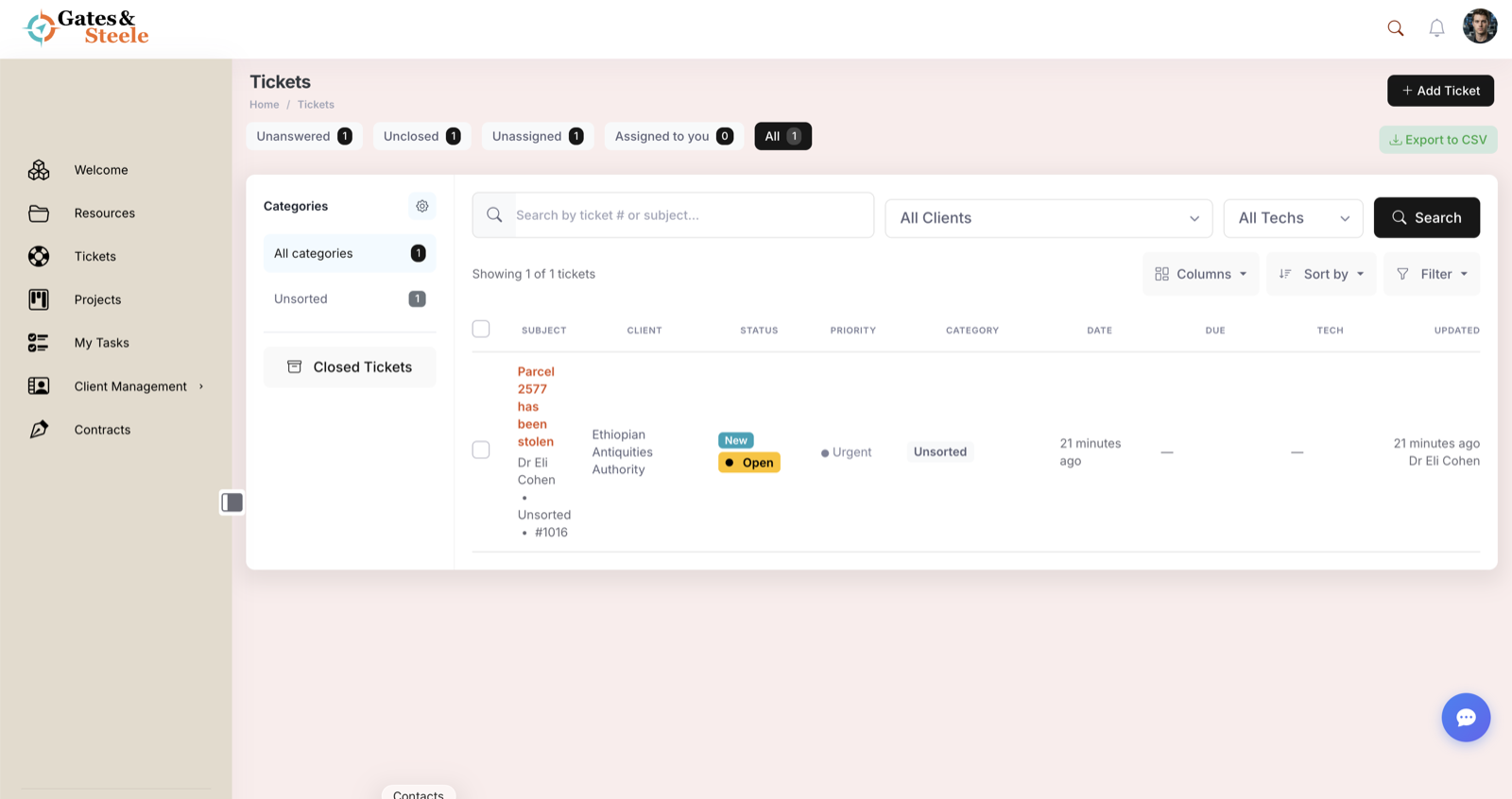
The Tickets list, with status, priority, client, and assignment at a glance.
When to Create a Ticket
Create a ticket whenever you need to:
- Report an issue or problem
- Request a change or update
- Ask a question that requires follow-up
- Submit a formal request that needs tracking
For quick, informal questions, consider using the messaging feature instead.
How to Create a Ticket
- Click Tickets in the left sidebar
- Click the New Ticket button in the top-right corner
- Fill in the required fields (subject, description, priority)
- Attach any relevant files
- Click Submit Ticket
Your service provider will be notified immediately and will respond within their stated response time.
Ticket Fields Explained
| Field | Required | Description |
|---|---|---|
| Subject | Yes | A short summary of your request (keep it clear and specific) |
| Description | Yes | Detailed explanation of what you need help with |
| Priority | Yes | Low, Medium, High, or Urgent |
| Category | Optional | Helps route the ticket to the right team |
| Attachments | Optional | Screenshots, documents, or other supporting files |
Priority Levels
- Low — General questions or non-urgent requests
- Medium — Standard requests that need attention within a few business days
- High — Important issues that need prompt attention
- Urgent — Critical issues that require immediate action
Attaching Files
You can attach files to your ticket to provide additional context:
- Click the Attach Files button below the description field
- Select files from your device or drag them into the upload area
- Supported formats include PDF, DOCX, XLSX, PNG, JPG, and ZIP
- Maximum file size is 25 MB per attachment
After Submitting
Once you submit a ticket:
- You will receive a confirmation email with your ticket number
- The ticket appears in your Open Tickets list on the dashboard
- Your team will be notified and can begin working on it
- You will receive notifications when there are updates